


Our Groceries Shopping List
4.714.57K Reviews
App Specs
- Version
- Varies with Device
- Updated On
- License
- Free
- Downloads
- 1,000,000+
- Developer
- OurGroceries, Inc.
- Categories
- Shopping
- Platform
- Android, iOS
Screenshots
 Analysis by AppCompare
Before I choose a shared shopping app, I ask one practical question: will everyone who needs the list actually use it? A clever list is no help if one person keeps adding items to a text message while another is checking a scrap of paper. Our Groceries Shopping List is aimed at that everyday household problem. I’d consider it when several people need to contribute to the same shop, but I’d judge it by how well its simple list-based approach fits the way my household already plans.
Start with the household’s shopping habits
For a solo shopper, a note on the phone may be enough. The case for a dedicated grocery app gets stronger when a partner, housemate, or family member also needs to add things, check what is already covered, or take responsibility for a shop. The key decision is not whether a digital list looks nicer; it is whether a shared list can replace scattered reminders without creating another place everyone has to remember to check.
I would also think about how much structure I want. Some people need little more than a short list of staples. Others plan meals, keep separate lists for different errands, and want details attached to particular items. Our Groceries is a shopping app from OurGroceries, Inc., and its focus is the shared household list rather than turning every shop into a broader planning project. That narrower purpose can be a strength if all I want is a reliable place to collect what the household needs.
Where shared lists make the difference
A realistic example is a weekday evening when I notice we are low on cooking oil while making dinner. Instead of hoping I remember it the next day, I can add it to the household list. If someone else is already heading to the store, they can check what is there and pick it up. That only works if the household agrees to use the shared list consistently, but once that habit settles in, it can prevent the familiar round of “Did anyone get that?” messages.
The most useful workflow is to add an item as soon as I notice it, rather than trying to reconstruct the whole household’s needs just before leaving. I’d keep routine staples on the grocery list and put items for a one-off dinner or home project on their own lists, so a quick shop does not become cluttered with unrelated errands. This is a small organizational choice, but it makes a shared list easier to scan when someone is shopping in a hurry.
Sharing also changes how I’d divide the work. One person can build the list during the week, while another handles the store visit; both can refer to the same current set of needs instead of passing information back and forth. For a household that shops together, it can help avoid buying the same thing twice. For a household where one person does nearly all the planning and shopping, the benefit is smaller, so I would not treat collaboration as a reason to add complexity unless other people will genuinely contribute.
Where it fits among shopping alternatives
Compared with paper, a shared digital list is easier to update from different places and less likely to be left on the kitchen counter. Paper still has a real advantage for someone who prefers writing things down, does not want to look at a phone in the store, or shops alone and rarely changes plans. I would not switch merely because an app sounds more modern; I would switch if passing the list between people is a recurring nuisance.
Worth Reading Before You Choose

Flipboard Shows What News Apps Must Do Beyond the Feed

Switching to Android Auto Means Rethinking Your Driving Routine

Google Calendar Makes a Crowded Week Easier to Manage

Ludo King Makes the Most of the Minutes Between Plans

Baby Panda World Brings Quick Play to Modern Phones, but Its Game Library Feels Busy

ESPN’s Live Game View Makes Following Close Games Easier
A basic notes app can also work for one person or for a couple willing to share a note manually. A grocery-focused app makes more sense when the household wants shopping items organized as shopping items, rather than mixed in with reminders, work notes, and other lists. On the other hand, someone seeking a large system for meal planning, budgeting, nutrition tracking, or store-specific ordering may prefer an app built around those broader tasks. I would not assume that a focused list tool replaces those separate needs.
Our Groceries has an average rating of 4.7 from around 55,000 ratings, and it has over a million installs. Those figures suggest that it has found an audience, but they cannot tell me whether its approach suits my routines. I would put more weight on a simple test: can the people in my household add and check items without needing repeated reminders about where the list lives?
Using the list well in everyday life
Have you ever found yourself in the middle of a grocery store, completely forgetting what you needed to buy? We've all been there, and that's where Our Groceries Shopping List comes into play. This app is a lifesaver for those of us who need a little help keeping our shopping trips organized and efficient.
Features That Make Life Easier
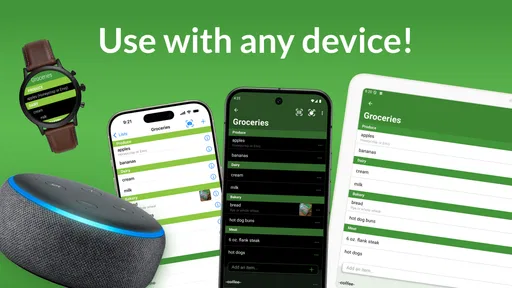
The first thing that strikes me about the app is its simplicity. It's not cluttered with unnecessary features, which makes it super easy to use. You can quickly add items to your list, and everything syncs seamlessly across your devices. This means you can start your list on your tablet at home and then access it on your phone while you're out shopping. How cool is that?
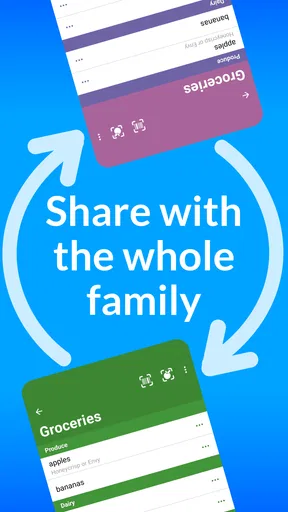
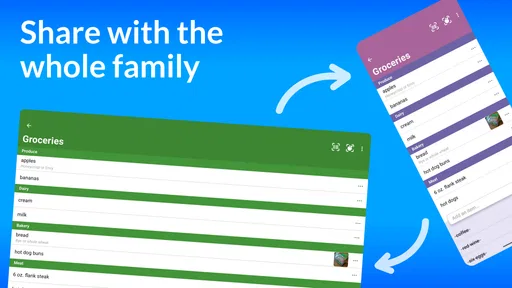
One of the standout features is its ability to share lists with your family or housemates. You know how it goes—"Hey, can you pick up some milk?" With this app, they can just add it to the list, and voila! It's there for everyone to see. No more missed messages or forgotten items.
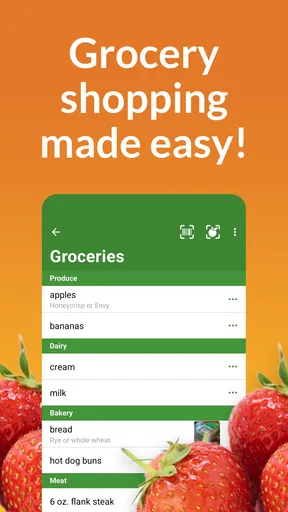
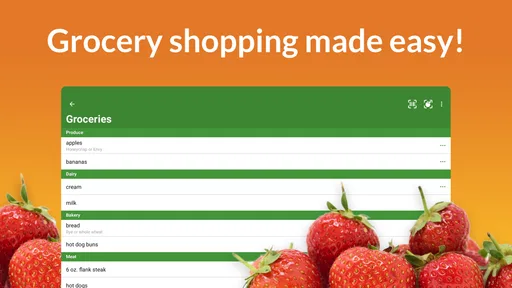
Another feature I absolutely love is the ability to categorize items. You can sort your list by department, which is a time-saver when you're navigating through the aisles. It's like having a personal shopping assistant guiding you through the store, ensuring you don't miss anything.
Keeping It Personal
Customization is another big plus. You can create multiple lists for different purposes—like one for groceries, one for your next dinner party, and another for that DIY project you've been planning. Plus, you can add photos or notes to items, which is handy if you're trying to remember a specific brand or size.
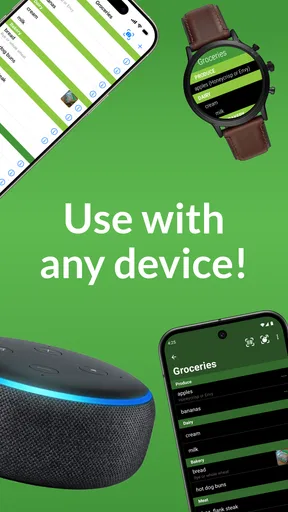
The app also integrates with voice assistants like Alexa and Google Assistant. So, if you're in the kitchen and realize you're out of eggs, you can just shout it out, and it'll be added to your list. It's those little conveniences that make a big difference.
Small habits that help a shared list stay useful
I’d use notes and photos selectively. They are helpful when “coffee” is too vague and the household needs a particular roast or package, but attaching extra detail to every ordinary item can slow down list-making. For a recurring product, a short note about the size or brand can prevent a substitute that nobody wants. For flexible items such as fruit, keeping the entry simple leaves the shopper room to choose what looks good.
Categories are most valuable when they match the way I move through a familiar store. If the list’s grouping does not line up with the aisles I actually visit, I would treat categories as a rough aid rather than follow them rigidly. A quick tidy before leaving—removing things already bought and clarifying ambiguous entries—can make the list more useful than trying to organize every item perfectly during a busy week.
Voice entry can be convenient when my hands are occupied in the kitchen, but I would still glance at the list before shopping. Speech is useful for capturing a thought before I forget it; it is not a substitute for checking that the intended item was recorded clearly. The same principle applies to photos: they help communicate a specific product, but they do not remove the need to review what the shopper is being asked to find.
Keeping meal plans and errands manageable
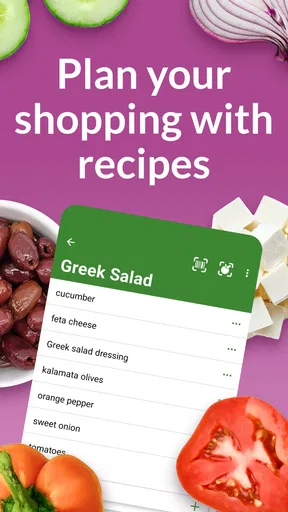
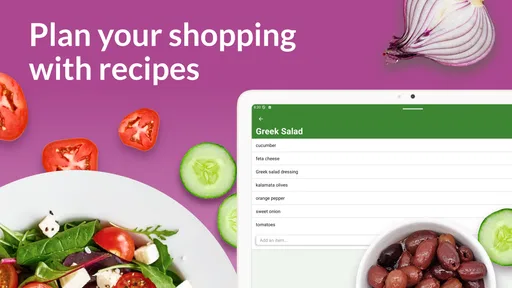
And let's not forget about the recipe feature. You can store your favorite recipes and easily add the ingredients to your shopping list. It's perfect for those of us who love to cook but hate the hassle of remembering every single ingredient.
For a planned meal, I’d use the recipe workflow before the shop, then check the resulting list against what is already in the kitchen. That last check matters: a recipe can identify what it calls for, but the household may already have some of those ingredients. Keeping dinner ingredients separate from general restocking also makes it easier for another person to shop without guessing which items are urgent for tonight and which can wait.
Multiple lists are useful, but they need a little restraint. A separate list for a dinner party or a DIY project can keep one-off purchases from drowning out groceries. If I create a new list for every small task, though, I risk making people search for the right place to add an item. I’d reserve separate lists for genuinely different errands or occasions and keep the everyday grocery list as the obvious default.
Who should choose it—and who may not need it
I’d recommend trying the app if several people in a household share shopping responsibilities, or if grocery reminders keep getting lost in chats and paper notes. Its Everyone age rating makes it broadly suitable for households, and the app is free to download, with in-app purchases ranging from $0.99 to $17.99 per item. I’d check the current purchase options in the app before paying for anything and decide whether the features I actually use justify the expense.
It is less compelling for a shopper who prefers a handwritten list, rarely shops with anyone else, or already has a note-taking routine that works. It may also be the wrong fit for someone who expects one app to handle extensive meal scheduling, price comparisons, budgeting, and ordering. I would choose a specialized alternative for those priorities rather than expect a shared grocery list to become a complete food-management system.
What switching really involves
The main cost of switching is not entering a list once; it is getting everyone to change their habit. I’d begin with the next ordinary grocery trip, add only the items the household needs, and ask each person who shops to check the same list. That gives everyone a low-pressure way to see whether shared updates are genuinely easier than the old method. If one person keeps sending separate messages, I’d make the list the agreed place for requests instead of maintaining two competing systems.
There is also a small setup decision: whether to keep one list for everything or separate groceries from occasional projects and special meals. I’d start with the simplest arrangement and add another list only when unrelated items are making the main shop harder to scan. This avoids spending more time designing a system than using it. For a household already organized around a different shared tool, switching is worthwhile only if the grocery-specific workflow solves a real annoyance.
Bringing Families Together
One thing that surprised me was how this app can actually bring families closer together. It sounds a bit cheesy, I know, but hear me out. Because everyone can access and edit the list, it becomes a collaborative effort. It turns shopping from a solo chore into a team activity. Plus, there's a sense of satisfaction in checking off items and knowing everyone contributed.
That teamwork is practical rather than magical: it depends on everyone adding things promptly and checking the list before they shop. When only one person updates it, the app can still organize that person’s errands, but it cannot make the household’s planning collaborative by itself. I’d agree on a simple convention—add an item when it runs out, and check the list before heading to the store—so people do not have to guess how the shared list is meant to work.
My recommendation after weighing the trade-offs
In a world where we're all trying to juggle a million things, having an app like Our Groceries Shopping List is a real blessing. It's straightforward, user-friendly, and packed with features that genuinely make shopping a breeze. Whether you're shopping solo or with family, it keeps everything organized and stress-free. So, if you're tired of the old pen-and-paper method or just want a more efficient way to handle your shopping, give it a try. Trust me, you won't regret it!
My recommendation is a little more specific: I’d give it a try when keeping one up-to-date list for multiple shoppers is the main problem. The strongest reasons to choose it are the shared workflow, separate lists, and practical item details; the strongest reasons to skip it are a preference for paper, a household that will not maintain a shared habit, or a need for broader meal and spending tools. For me, the best test is whether it reduces forgotten items and back-and-forth messages without making shopping feel like another chore.
Pros
- Easy to share lists with family members.
- Real-time updates on shared lists.
- Cross-platform compatibility.
- Voice input for quick list additions.
- Integrates with smart home devices.
Cons
- Limited features in free version.
- No barcode scanning for items.
- Basic interface lacks customization.
- Ads may disrupt user experience.
- No offline mode available.
FAQs for Our Groceries Shopping List
What is Our Groceries Shopping List and how does it work?
Our Groceries Shopping List is a user-friendly app designed to streamline your grocery shopping experience. It allows you to create and share shopping lists with family members in real time. You can add items, categorize them, and even use voice input for hands-free list management. The app syncs across devices, ensuring everyone stays updated on what’s needed.
Can I share my shopping lists with other people?
Yes, Our Groceries Shopping List supports list sharing with family or friends. By linking the app with their email addresses, you can collaborate on lists. Changes made by one person are instantly visible to others, making it perfect for households that need to coordinate shopping efforts efficiently.
Is the app available on both Android and iOS platforms?
Absolutely, Our Groceries Shopping List is available for both Android and iOS users. You can download it from the Google Play Store for Android devices and the Apple App Store for iOS devices. It ensures a seamless experience across different platforms, so you won’t miss out on any features regardless of your device.
Does Our Groceries Shopping List offer integration with voice assistants?
Yes, the app integrates with popular voice assistants like Amazon Alexa and Google Assistant. This feature allows you to add items to your shopping list using voice commands, enhancing ease of use. It’s a great option for multitasking or when you’re in a hurry and can’t manually enter items.
Is there a premium version of the app, and what additional features does it offer?
Our Groceries Shopping List offers a premium version that removes ads and provides additional features like recipe management and custom categories. The premium version is available as an in-app purchase, providing an ad-free experience and more options for organizing your shopping and meal planning efficiently.


